
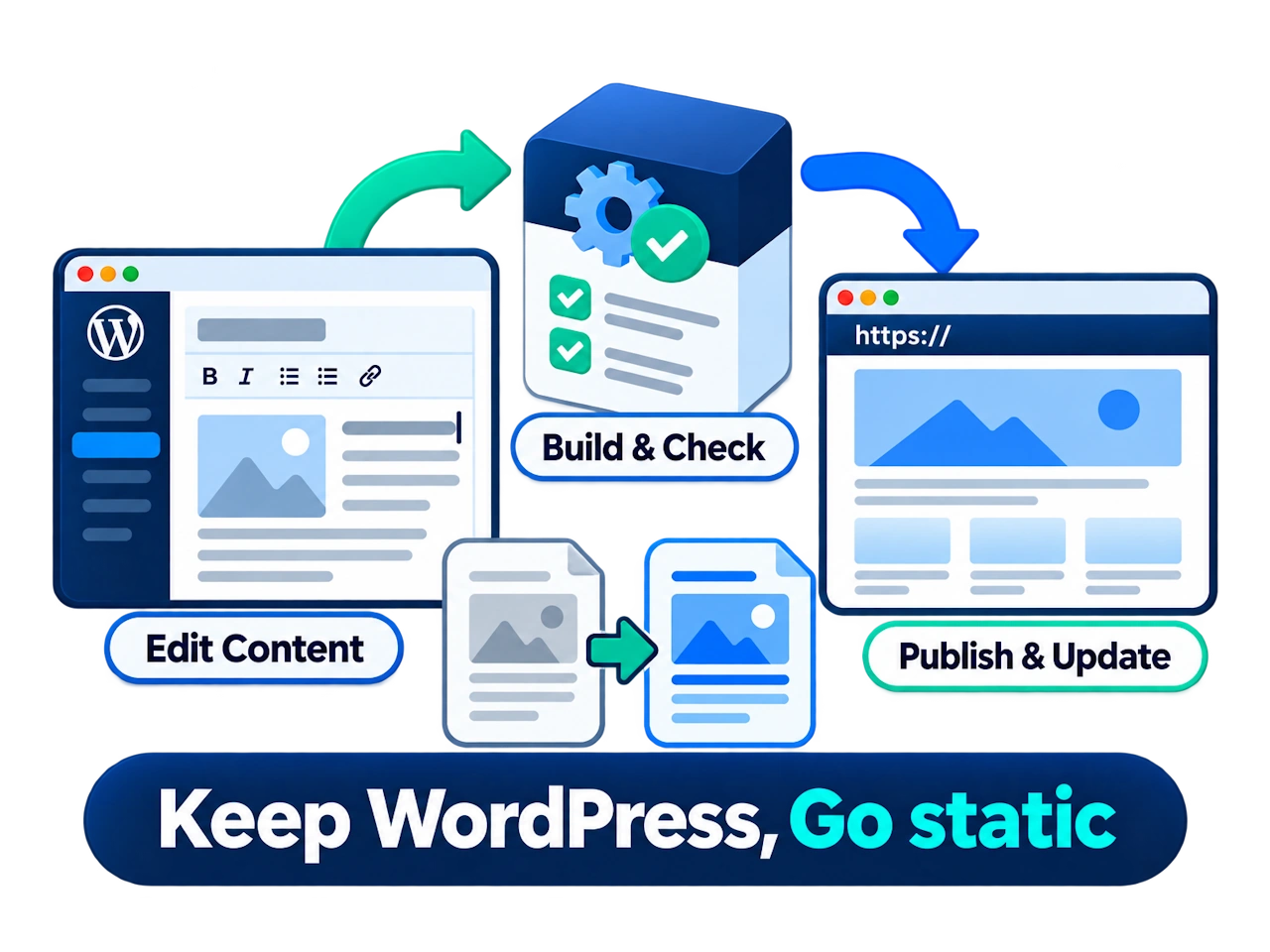
SAME EDITOR. NEW FRONTEND.
Your content stays in WordPress.
Your public site does less work
Edit posts, pages, and images as usual. Visitors get pages that are already built.
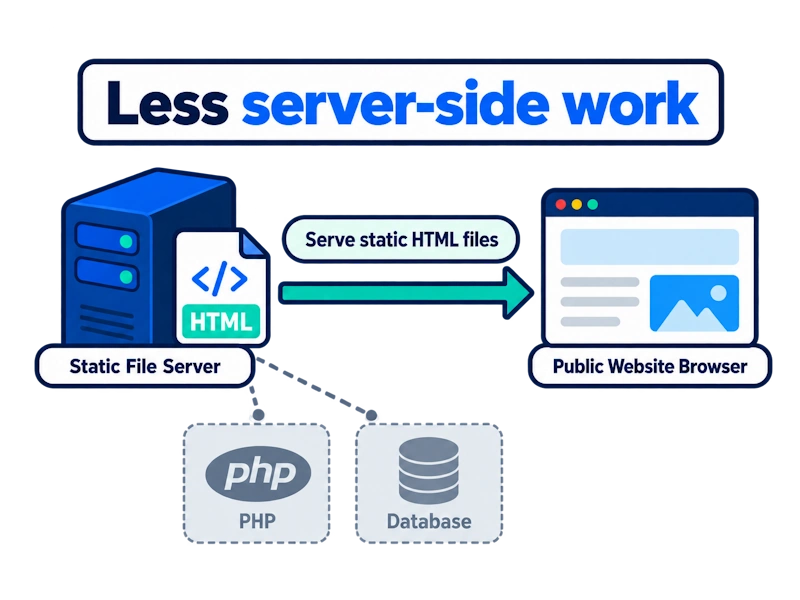
Less server-side work
Serve prebuilt HTML for everyday page visits, reducing repeated PHP execution and WordPress database queries. The content is ready before a visitor arrives.
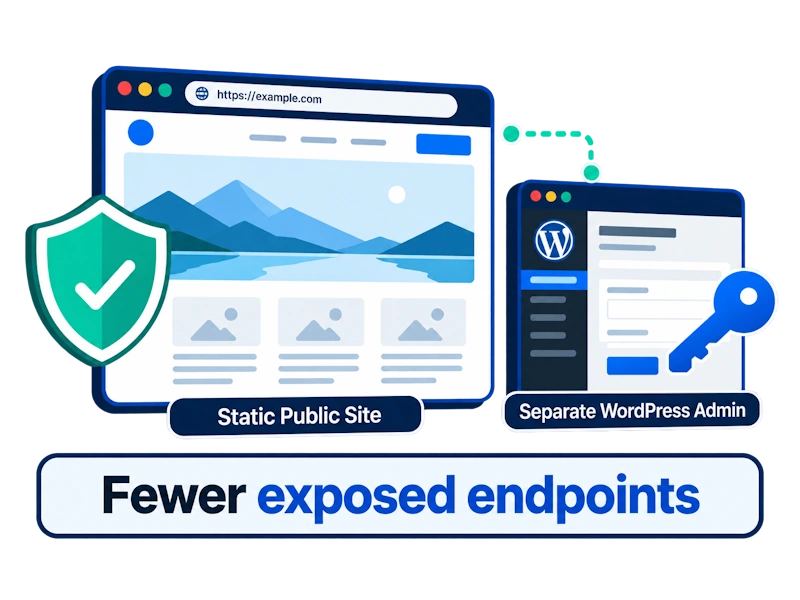
Fewer exposed endpoints
With the right deployment, your public domain no longer serves WordPress dynamic endpoints. This reduces the attack surface associated with those public entry points.
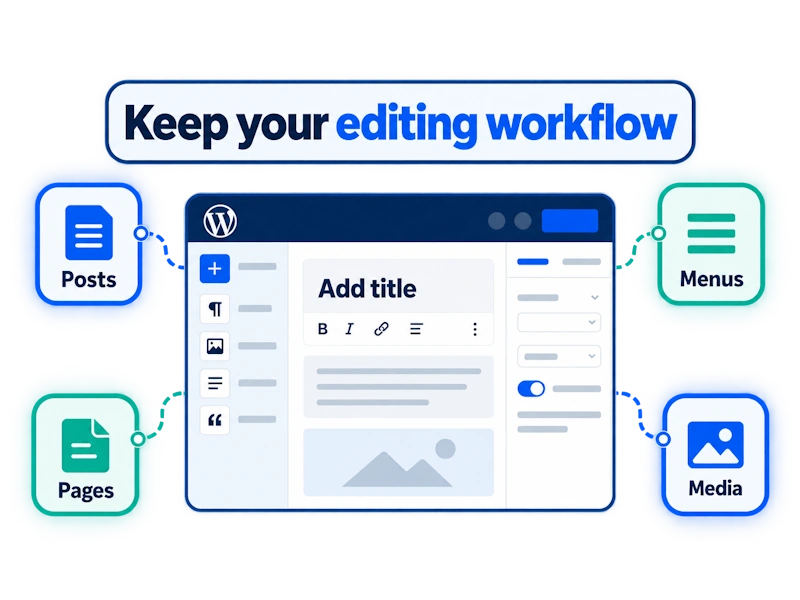
Keep your editing workflow
Manage posts, pages, menus, and media in WordPress, just as you do today. Your team keeps its familiar tools and everyday content workflow.
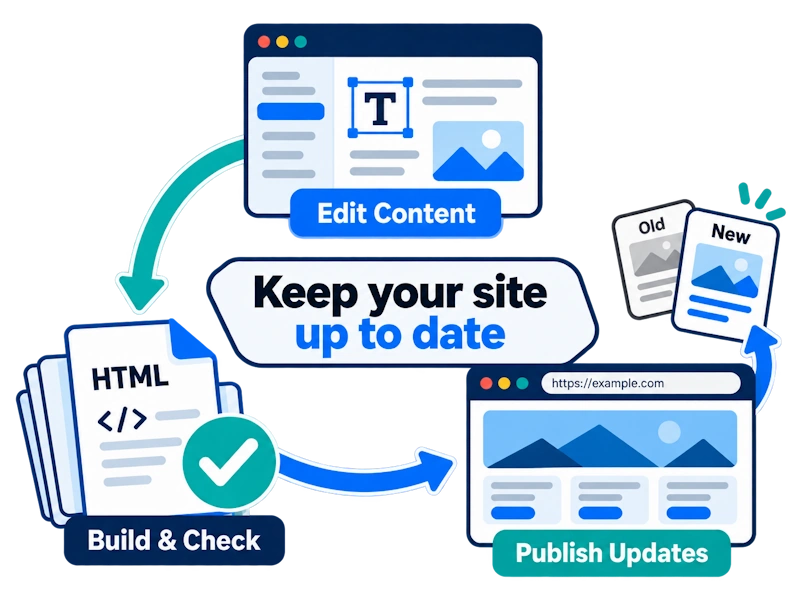
Keep your site up to date
After editing, build and check a fresh static version, then publish it to your public site. Updating content becomes part of your regular workflow.
Security depends on deployment: A static frontend can reduce exposed WordPress endpoints. Your admin site still needs updates, access controls, and secure settings. The benefits depend on your setup and any dynamic features you retain.
A SMALLER PUBLIC ATTACK SURFACE
Keep WordPress behind the scenes
Simplify what the public can reach
A typical WordPress site uses PHP and database queries to serve pages. Static Frontend serves files instead. When your public domain stops running or forwarding requests to WordPress endpoints, attacks that depend on those endpoints lose that route.
Generate pages on request
Serve pages already built
Note: Keep WordPress updated and restrict admin access. Browser scripts, APIs, forms, third-party services, and hosting still need their own security controls.
About this demo: The original WordPress site remains publicly reachable. The security benefits of a fully separated production deployment are not yet in effect here.
EDIT. CHECK. PUBLISH.
From your editor to your audience
Make your changes, review the result, and publish when it is ready.

Edit content → Build static pages → Check the result → Publish
START WITH WHAT YOUR SITE NEEDS
Is static a good fit?
Content-led sites are a natural starting point. Features that need live data, logins, or transactions need a closer look.
A GOOD STARTING POINT
Content and brand sites
REVIEW THE INTEGRATION
Interactive features
NOT CURRENTLY SUPPORTED
Accounts and transactions
Compatibility depends on your theme and plugins. Test your pages and essential features before switching to a static frontend.
Three checks before you switch
- Map your content. List the pages you want to publish and confirm that the site is mainly for presenting content.
- Identify live features. List forms, search, comments, logins, and transactions. Check which need server-side processing.
- Build a test version. Review layouts, images, links, and features, then choose a deployment that suits your site.
ONE SITE. TWO ROLES.
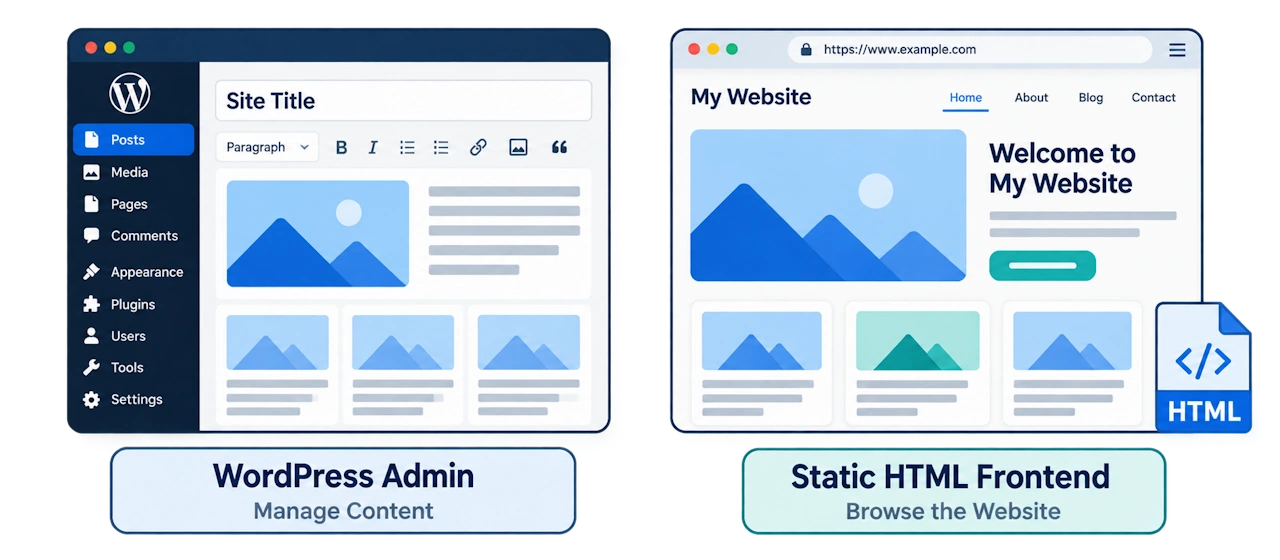
A separate frontend
A familiar place to manage content
Your team works in WordPress. Your visitors browse the static HTML site.
DEMO DETAILS TO FOLLOW
See the published result
Add a verified demo name, its main content types, and a working public URL here.
QUESTIONS BEFORE YOU SWITCH
A few things to know
Editing, compatibility, deployment, and what the planned free version includes.
Want a closer look at the rollout?
Explore the testing, review, and deployment steps before moving your site.。
Keep the editor you know
Build a lighter public site
Start with your content and essential features. Then see whether a static frontend fits the way your site works.